How do I make a Robot Girl AI video from my photo?
Updated:
Short answer
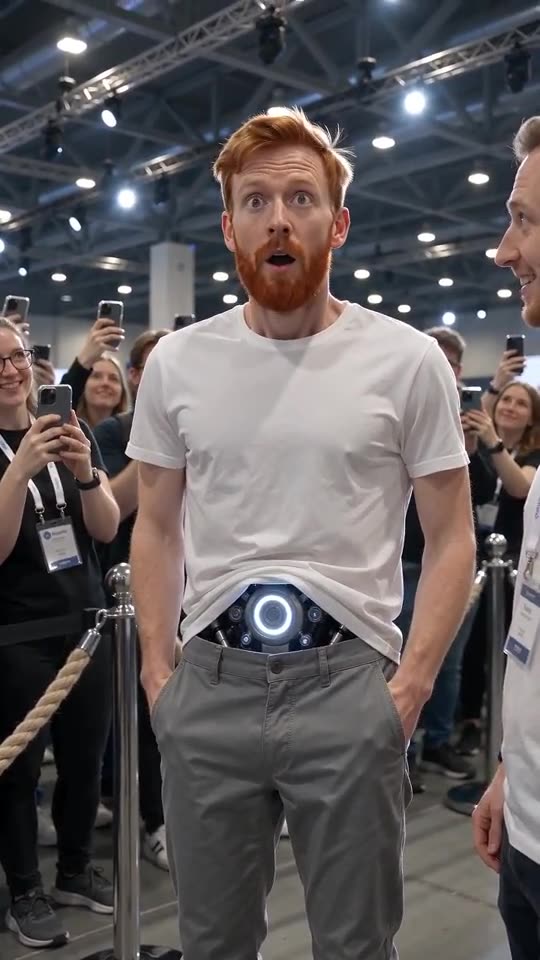
Upload one photo of yourself or an adult friend, head to waist or lower, pick a story such as the first hug, add a place, core colour and outfit, and MimicZip builds the clip. Check a 5-second bonus preview, then spend 1 credit on the 10-second 720p video.
From a photo to the android
- Open the template page. There is one box, for the android. Use a sharp photo of one adult that shows the head and the waist, facing the camera, as JPG, PNG or WebP up to 10 MB.
- Pick the story: the first hug is selected; the other five are a first pocket, a first compliment, a queue-jumper, the first rain and a first ice cream.
- Pick the place, the core colour and the outfit. The tested default is the tech expo with a silver-blue core and your own clothes.
- Pick 9:16 for TikTok, Reels and Shorts, or 16:9 for YouTube and desktop screens.
- Consent, login, pack. Tick the photo-consent box and sign in with Google. Previews come inside a pack.
- Check the preview for your face, the glow and the opening at the waist, then render: 1 credit gives the 10-second 720p MP4, saved in My videos.
What the story decides
The camera is always one handheld shot at eye level in a place full of people filming. The story decides the ten seconds in front of it: who walks up, what they say and what the android does. Pockets, for example, is a different scene from the hug, with the hands sliding into pockets and a whispered “Pockets?”.
After rendering
Download the MP4 or copy a share link from My videos. The clip has short spoken English lines; the sound guide says how to swap them for the original sound.
Questions people ask
Do I need to write a prompt?
No. Each of the six stories is already written as a ten-second scene. You pick one and add a photo.
Do I need a costume or a glowing prop?
No. The opening at the waist and its glow are generated on top of your photo.
Can I close the page while it renders?
Yes. Rendering carries on at our end, and the finished video is saved in My videos.
Make your own Robot Girl video
Upload one photo and make a 10-second HD video from $8.99. No subscription, and the full video has no watermark.
Make my video